
Thailand Digital Arrival Card (TDAC): How to Complete It Before Entering Thailand

All non-Thai nationals entering Thailand normally need to complete the Thailand Digital Arrival Card, commonly called TDAC, before passing through immigration.
You should submit it through the official Thai Immigration website during the permitted three-day period before arrival, including your arrival date. TDAC is required whether you enter Thailand by air, land or sea. Infants and children also require their own TDAC.
Travellers who only transit through a Thai airport without passing through immigration do not normally need to submit one. TDAC is an arrival-information form—it is not a visa and does not replace any visa or entry permission you may need.
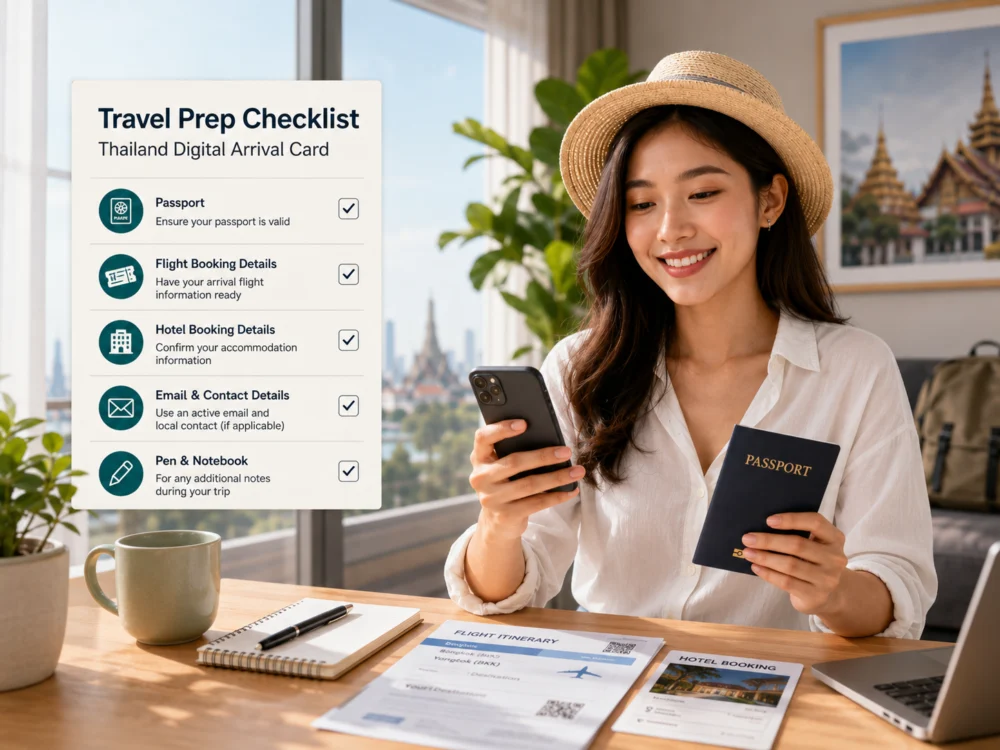
What is the Thailand Digital Arrival Card?
The Thailand Digital Arrival Card is an online arrival form introduced to replace the traditional paper arrival card used by international travellers.
It collects important information that Thai Immigration requires before a foreign traveller enters the country, including passport information, travel details, accommodation in Thailand and health-declaration information.
TDAC applies to non-Thai nationals arriving:
- By commercial or private flight
- Through a land border
- By cruise ship, ferry or another sea route
The form is compatible with different entry types, including visa-exempt entry, visa on arrival and travellers holding a Thai visa. However, completing TDAC does not guarantee entry because final admission remains subject to the immigration officer’s assessment.
When should you submit TDAC?
Complete TDAC during the official submission window of three days before arrival, including the arrival date.
It is better not to complete the form too early because the system only accepts submissions within the permitted period. Prepare your documents first, then submit the form when your travel date enters the allowed window.
The TDAC system does not automatically remind travellers before their flight, so it is helpful to add it to your own travel checklist.
What information should you prepare?
Before opening the form, prepare:
- Your passport
- Your arrival date
- Your flight number or vehicle information
- The country where you boarded your journey to Thailand
- Your purpose of travel
- Your first accommodation address in Thailand
- Your email address
- Details of countries or territories visited during the two weeks before arrival
- Departure information, when available
All form details should be entered in English. Names and passport details should match the information printed in your passport.
The system does not normally allow you to save an incomplete application and continue later, so preparing the information first will make the process easier.

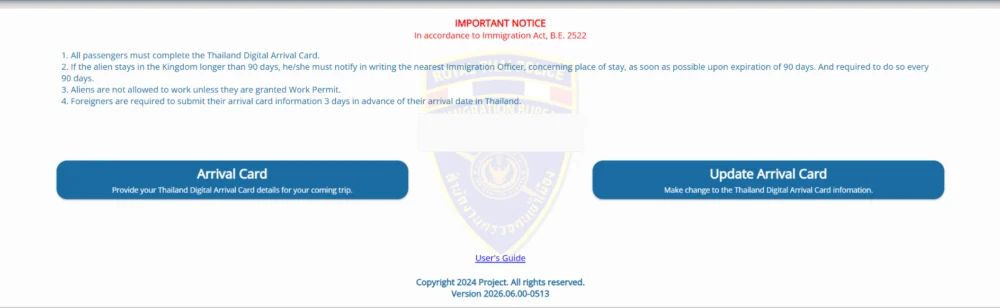
Step 1: Open the official TDAC website
Visit the official Thailand Immigration TDAC website.
On the homepage, select Arrival Card to make a new submission. The Update Arrival Card option is for travellers who have already submitted a form and need to correct eligible details.
Use the official government website only. The official TDAC e-service is free, so be cautious of unofficial websites that request unnecessary service fees or collect passport information without a clear reason.
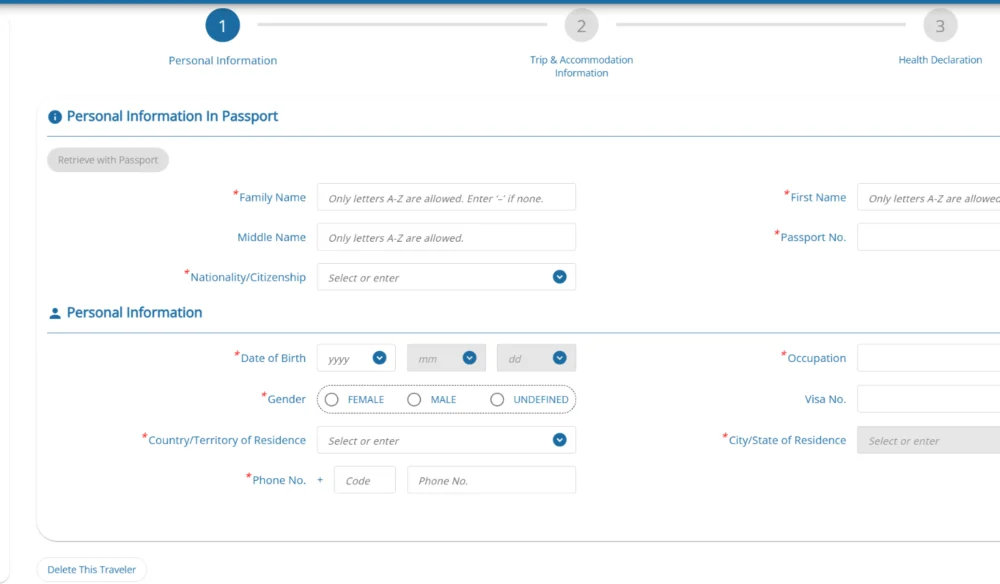
Step 2: Enter your passport and personal information
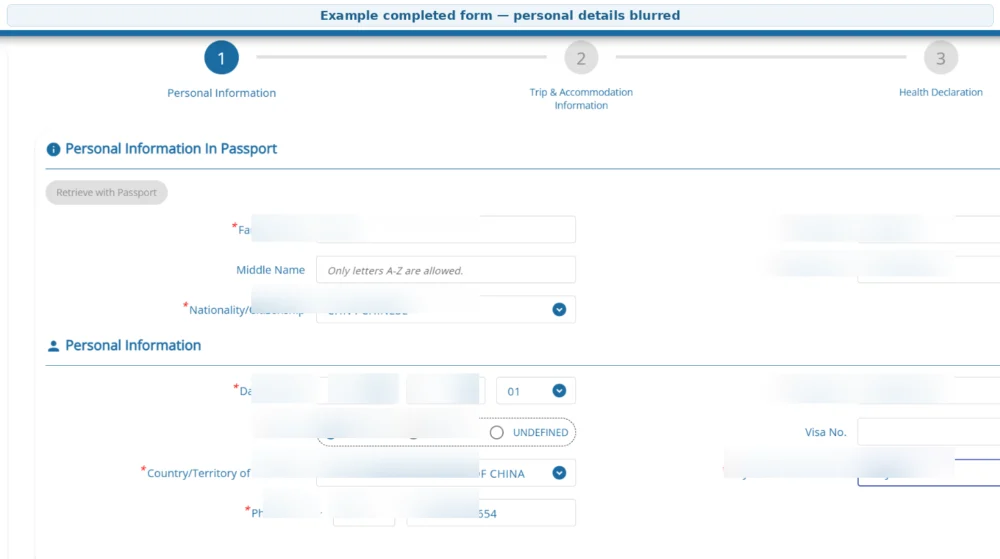
The first section asks for the traveller’s passport and personal details.
Fields may include:
- Family name
- First name
- Middle name, if applicable
- Nationality or citizenship
- Passport number
- Date of birth
- Gender
- Country or territory of residence
- City or state of residence
- Occupation
- Telephone number
- Visa number, when applicable
Enter your name in the same order and spelling shown in your passport.
The system may also provide an option to retrieve information by scanning the passport’s Machine Readable Zone, known as the MRZ, or by uploading an MRZ image. Always check the extracted details carefully before continuing.
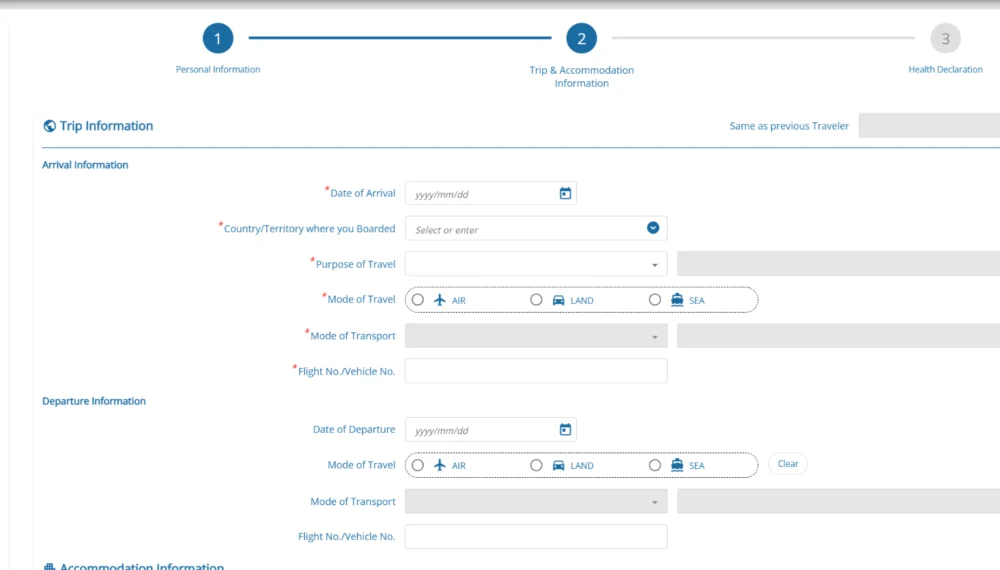
Step 3: Enter your arrival and trip information
The next section covers how you will enter Thailand.
You may need to provide:
- Date of arrival
- Country or territory where you boarded
- Purpose of travel
- Mode of travel: air, land or sea
- Mode of transport
- Flight number or vehicle number
Use the flight or vehicle details connected to your actual arrival in Thailand. Check the date carefully, especially when an overnight flight departs one day and arrives in Thailand the following day.
Departure information may also appear in this section. Enter it when your departure arrangements are already confirmed. Arrival, travel mode and flight or vehicle information.
Step 4: Enter your accommodation in Thailand
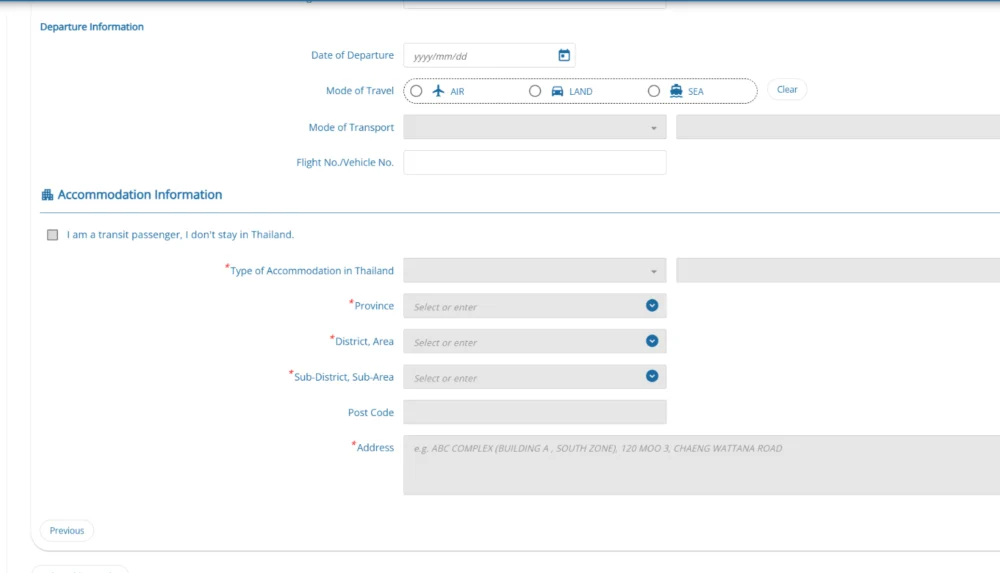
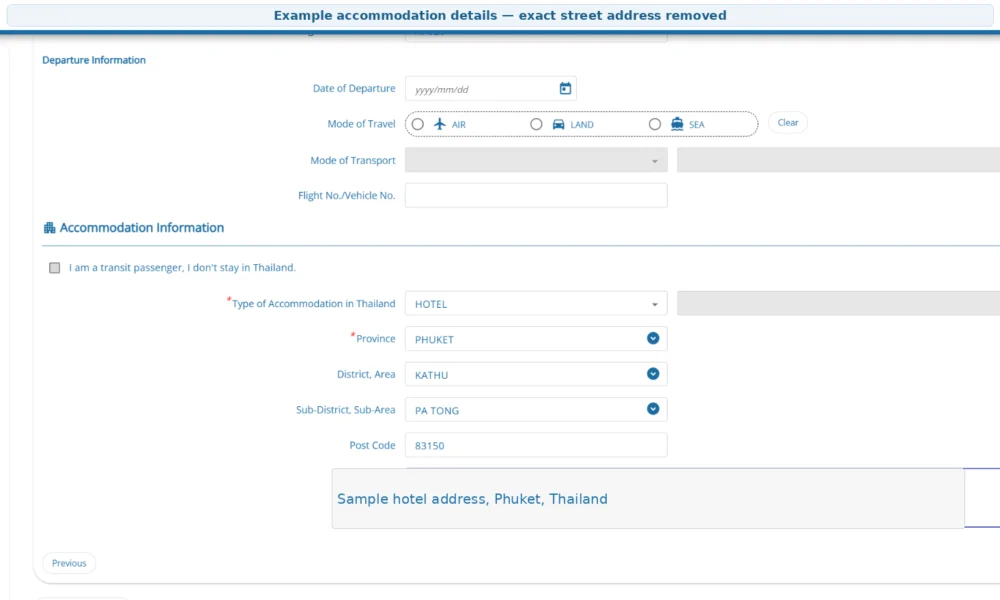
Enter the first place where you expect to stay after arriving in Thailand.
The form may ask for:
- Type of accommodation
- Province
- District or area
- Sub-district or sub-area
- Postal code
- Full address
For travellers staying in Phuket, the province should normally be Phuket, followed by the district and sub-district shown in the hotel’s official address.
Keep your hotel confirmation open while filling this section. Copy the address carefully instead of relying only on the hotel’s short commercial name.
Transit passengers who will not stay in Thailand may see a separate transit option.
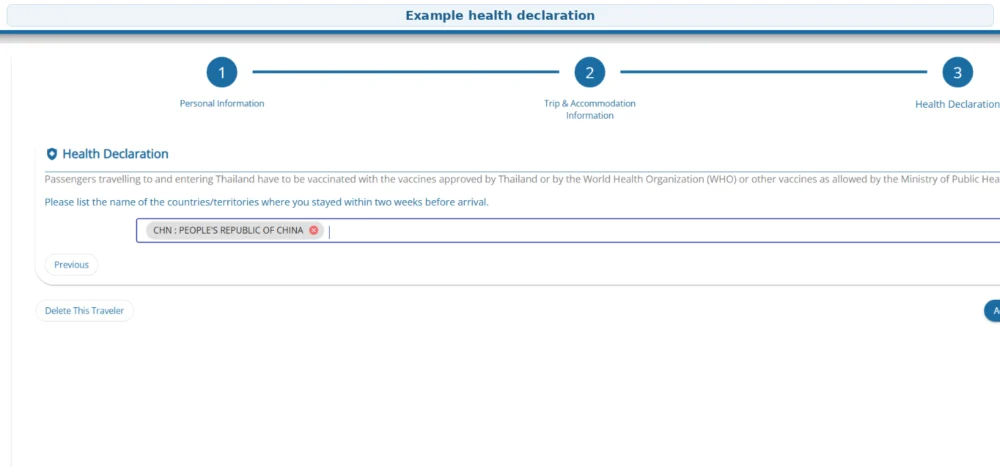
Step 5: Complete the health declaration
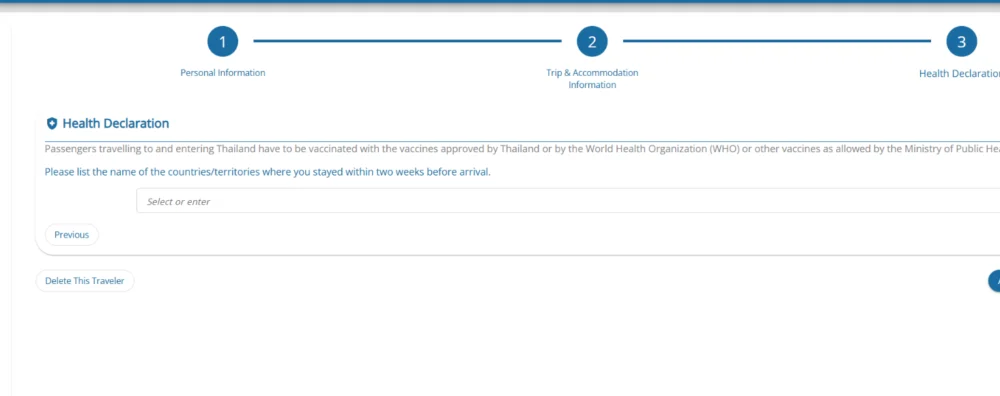
The health-declaration section asks about countries or territories where you stayed during the two weeks before arriving in Thailand.
Select all applicable countries accurately.
Depending on your nationality, travel history, boarding country or flight, the system may request additional public-health information. Follow the questions shown on the screen and do not omit a country simply because you only stayed there briefly.
Step 6: Preview your information and accept the terms
Select Preview after finishing the required sections.
Review every part of the application:
- Passport spelling
- Passport number
- Arrival date
- Flight or vehicle number
- Accommodation address
- Travel history
- Contact information
Use the Edit option if something is wrong.
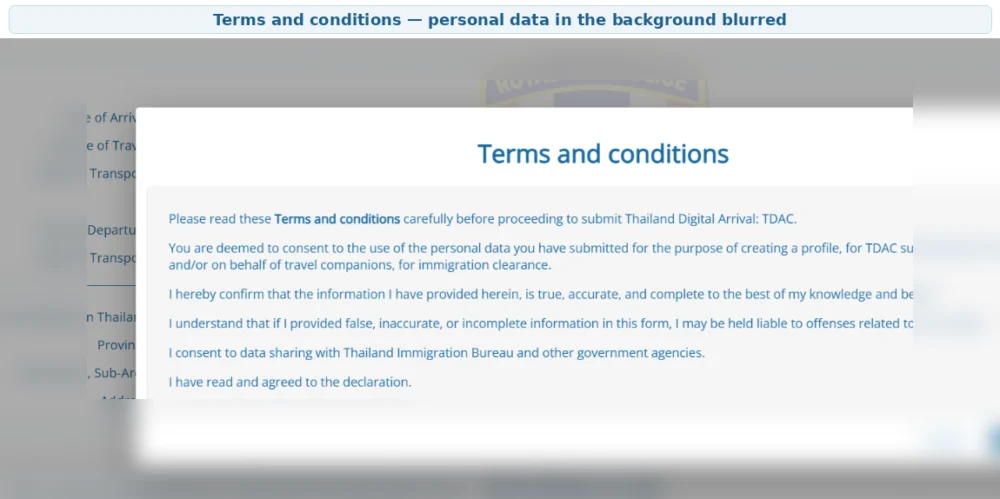
After checking the information, read the terms and conditions and select Agree before continuing. Submitting inaccurate or incomplete information may cause problems during entry, so take time to review the preview rather than submitting immediately.
Step 7: Enter and confirm your email address
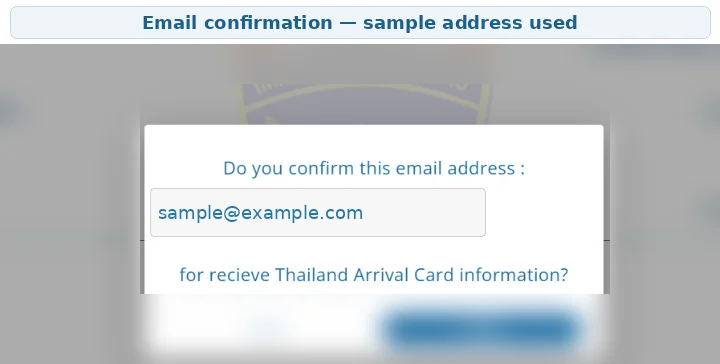
Enter an active email address that you can access during your trip.
The system uses this email to send the TDAC confirmation and downloadable document. Check the spelling carefully because a wrong email address may prevent you from receiving the confirmation.
When the email-confirmation window appears, verify the address again before selecting Confirm.
Step 8: Submit and download your TDAC
After accepting the terms and confirming your email, select Submit.
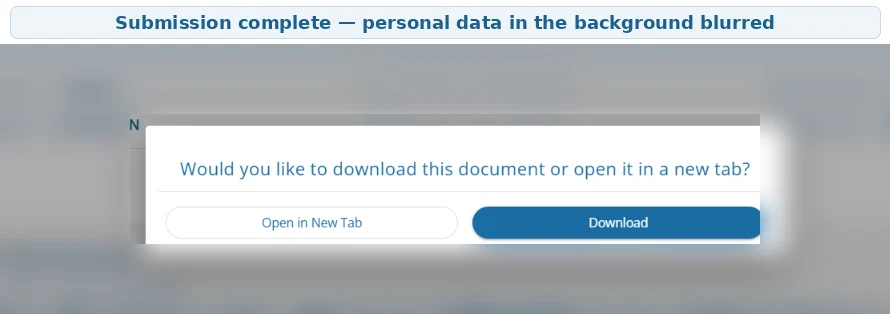
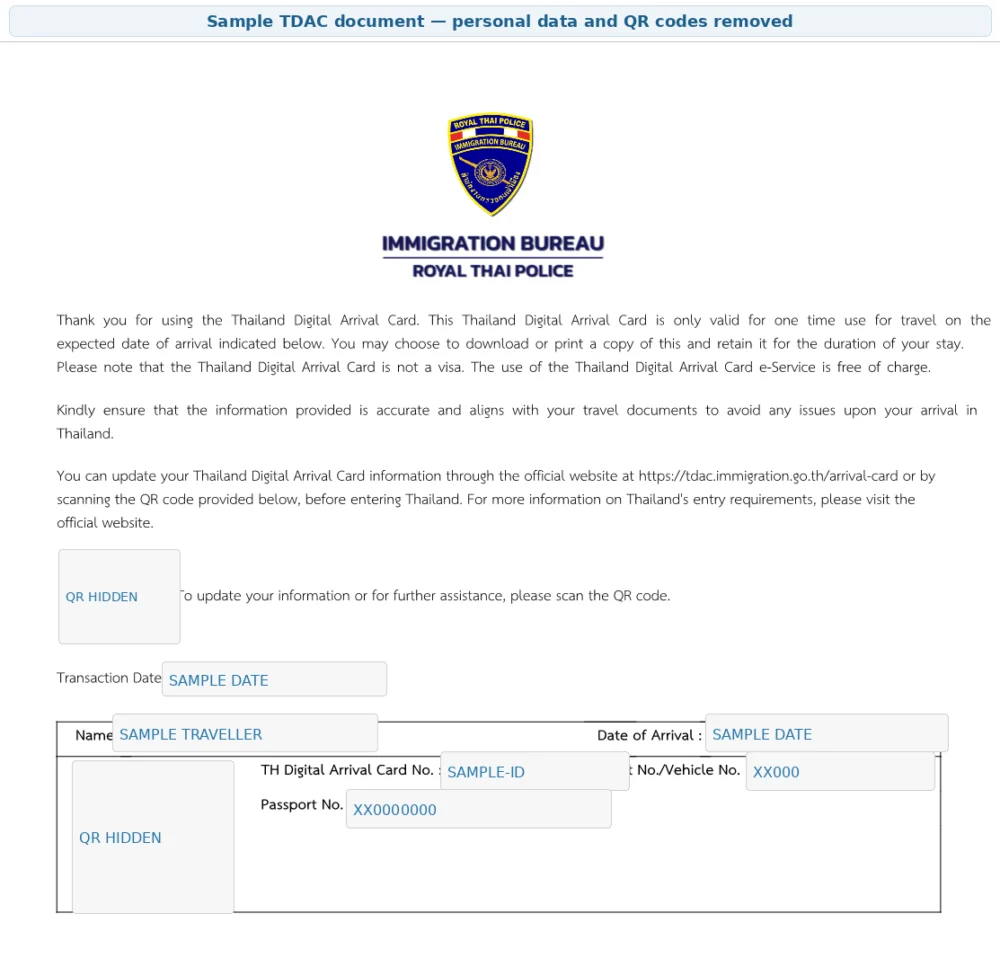
When the submission is successful, download the TDAC document or open it in a new browser tab. A copy should also be sent to the email address you provided.
The document contains a TDAC reference and QR code. Save it somewhere easy to find, such as:
- Your phone’s files folder
- Your email
- A cloud-storage folder
- A screenshot album for travel documents
You normally do not need to print it if you can display the document or QR code on a phone or other device. A printed copy can still be useful as a backup.

What should you do if you make a mistake?
Use Update Arrival Card if you need to change eligible details before entering Thailand.
Certain identity fields—including full name, passport number, nationality and date of birth—may not be editable. When an important field cannot be corrected, submit a new TDAC with the correct information. The system uses the most recent valid submission.
If your flight, accommodation or another travel detail changes, update the information or make a new correct submission before arriving.
Common TDAC mistakes to avoid
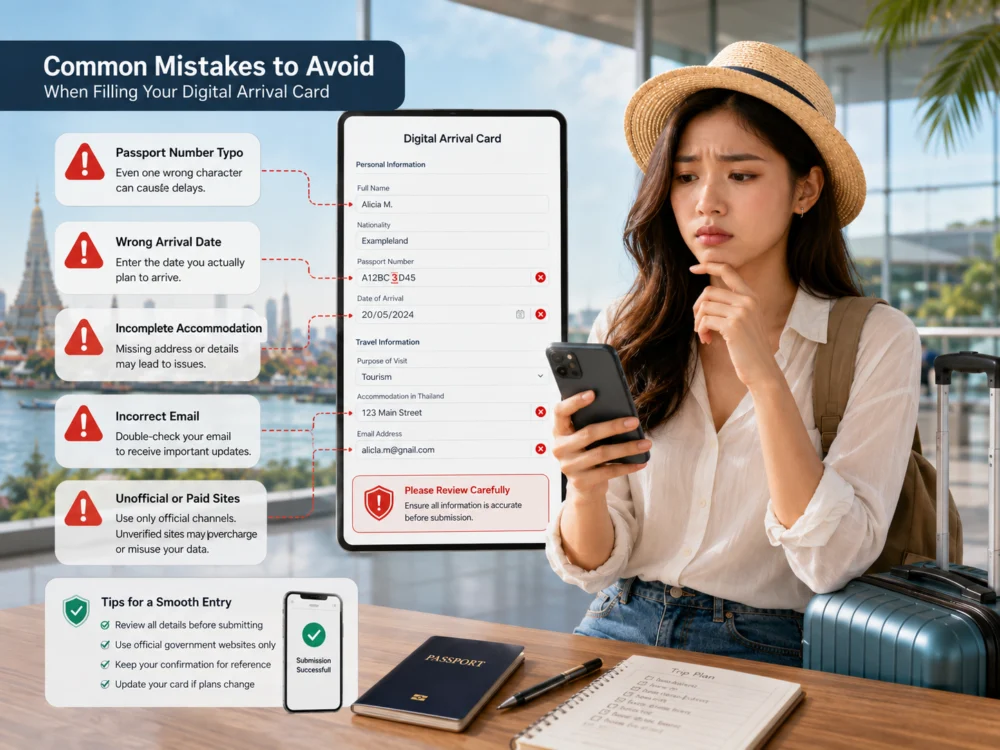
- Using an unofficial paid website
- Entering a nickname instead of the passport name
- Typing the passport number incorrectly
- Using the departure date instead of the Thailand arrival date
- Entering the wrong flight number
- Leaving accommodation details incomplete
- Forgetting a country visited during the previous two weeks
- Entering an email address with a typing error
- Closing the confirmation page without saving the document
- Assuming TDAC is a visa
Planning your Phuket trip after completing TDAC
Once your arrival documents are ready, you can continue organising your holiday with the Phuket travel-planning guide.
Travellers interested in clear water, beaches and snorkelling can also read the complete Racha Island guide.
For a straightforward first island day, the Racha Island and Coral Island speedboat trip combines two popular destinations in one day.
Frequently Asked Questions
Is TDAC free?
Yes. Submission through the official Thailand Immigration TDAC website is free. Be cautious when another website charges a submission or processing fee.
Does every child need a TDAC?
Yes. Infants and children require their own TDAC information, although a parent or another authorised person may complete it for them.
Do transit passengers need TDAC?
Not when they remain in the international transit area and do not pass through Thai immigration. A traveller who leaves the airport or passes through immigration must complete TDAC.
Can one person submit TDAC for the whole family?
Yes. The group-submission function currently supports up to ten travellers in one submission.
Do I need to print the TDAC confirmation?
No. You can normally show the saved document or QR code on your phone. Printing a copy is optional but can provide a useful backup.
Can TDAC replace a Thai visa?
No. TDAC is an arrival-information form and is not a visa. Travellers must separately meet the visa or visa-exemption requirements that apply to their nationality and trip.
What happens if I do not receive the email?
Check your spam or junk folder first. Make sure the email address was entered correctly. If you still cannot receive the confirmation, ask an immigration officer for assistance at the entry checkpoint.
Important update notice
The screenshots in this guide were prepared using TDAC Application Version 2026.06.00. Thai Immigration may update the form, wording or layout. Always check the official TDAC website before travelling and follow the fields displayed in the current system.